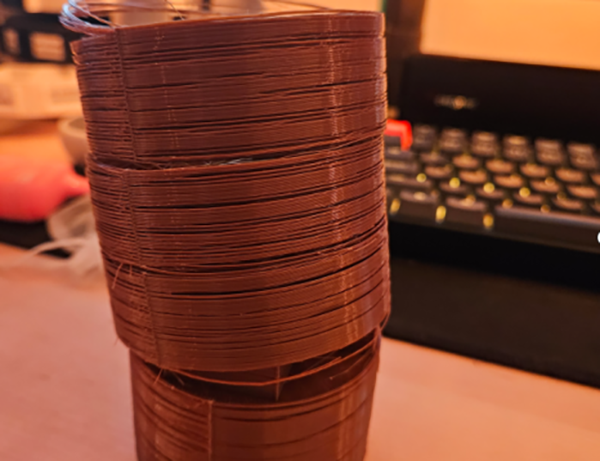
Missing Layers or Gaps in Print
Cause 1: Print speed too fast
Solution: If print speed is too fast, the extruder can’t keep up with the nozzle movement, resulting in under-extrusion or gaps. Lower the print speed to allow consistent extrusion.
Cause 2: Insufficient temperature
Solution: Low temperature reduces material flow, leading to under-extrusion and gaps. Use the correct temperature for each material — for example, printing PETG or ABS at PLA temperature will cause under-extrusion. Increase the nozzle temperature to improve material flow. For high-speed printing, raise the temperature by 10–20°C over normal settings.
Cause 3: Worn or clogged nozzle
Solution: A worn nozzle may have a smaller diameter, reducing extrusion volume. Clean or replace the nozzle regularly, especially when switching between materials. For abrasive filaments like carbon fiber, use hardened steel nozzles to avoid rapid wear.